Bullet-time - studio
Xangle Camera Server vous aide dans vos prises de vue bullet-time en simplifiant la configuration matérielle et en vous offrant un aperçu rapide du rendu
(cette page est actuellement en construction)
Fonctionnalités clés pour le bullet-time en studio avec Xangle Camera Server
- Multi-camera control
- Control all settings from a single interface: iso, f-stop, shutter speed, white balance
- Auto focus cameras lenses all at once, and fine-tuning per camera
- Optical & Digital zoom control (Android, Canon powershot)
- Live view (Canon, Raspberry Pi cameras)
- Set camera numbers manually from the interface, or simply by turning on the cameras in the right order
- JPG and RAW support (with jpg extraction from RAW files) en savoir plus
- Control all settings from a single interface: iso, f-stop, shutter speed, white balance
- Auto focus cameras lenses all at once, and fine-tuning per camera
- Optical & Digital zoom control (Android, Canon powershot)
- Live view (Canon, Raspberry Pi cameras)
- Set camera numbers manually from the interface, or simply by turning on the cameras in the right order
- JPG and RAW support (with jpg extraction from RAW files) en savoir plus
- Triggering
No trigger cables required: usb triggering with a precision < 1ms depending on camera model.
Interval triggering: fire all cameras one after the other at a specific timing (1ms to 200ms)
Jump-and-Freeze triggering: interval + freeze starting at specified camera number
Complex trigger sequences; fire cameras face to face, or any crazy idea you can have in mind! Build your trigger sequence from Excel and paste it inside Xangle
Multiple-shots triggering with buffering on the cameras (Canon) en savoir plus
- No trigger cables required: usb triggering with a precision < 1ms depending on camera model.
- Interval triggering: fire all cameras one after the other at a specific timing (1ms to 200ms)
- Jump-and-Freeze triggering: interval + freeze starting at specified camera number
- Complex trigger sequences; fire cameras face to face, or any crazy idea you can have in mind! Build your trigger sequence from Excel and paste it inside Xangle
- Multiple-shots triggering with buffering on the cameras (Canon) en savoir plus
- Connectivity
Connect your cameras by usb directly to your Windows computer (24 cameras or less)
Scale up to 250 cameras using Windows computers and usb-hubs (24 cameras per computer)
Scale up to 250 cameras using Raspberry Pi computers (4 cameras per Pi) - preferred solution en savoir plus
- Connect your cameras by usb directly to your Windows computer (24 cameras or less)
- Scale up to 250 cameras using Windows computers and usb-hubs (24 cameras per computer)
- Scale up to 250 cameras using Raspberry Pi computers (4 cameras per Pi) - preferred solution en savoir plus
- Fast transfer speed
Fully optimized for networked configuration
Download 176 raw 18mp images on a 1-gigabyte network in 40 seconds
Optimize based on your requirements by lowering jpg preview images, or by skipping jpg extraction of some of the raw files
Throttle file download on slower networks
Performance monitoring: optimize your system and find bottlenecks en savoir plus
- Fully optimized for networked configuration
- Download 176 raw 18mp images on a 1-gigabyte network in 40 seconds
- Optimize based on your requirements by lowering jpg preview images, or by skipping jpg extraction of some of the raw files
- Throttle file download on slower networks
- Performance monitoring: optimize your system and find bottlenecks en savoir plus
- Web based external monitors
Access most of the software modules through a web browser on any device connected to your local network (smartphone, tablet, computer, tv)
Navigate / lock external devices from the main admin interface en savoir plus
- Access most of the software modules through a web browser on any device connected to your local network (smartphone, tablet, computer, tv)
- Navigate / lock external devices from the main admin interface en savoir plus
- Images review
Multiple individual frame review: open as many browser pages as needed with specific angles to review (http://ip-address:8091/frame/30 = camera 30 preview)
Library review gallery: navigate through all sets (left-right keys) and individual frames of a set (top-down keys) & rating + comments for each set en savoir plus
- Multiple individual frame review: open as many browser pages as needed with specific angles to review (http://ip-address:8091/frame/30 = camera 30 preview)
- Library review gallery: navigate through all sets (left-right keys) and individual frames of a set (top-down keys) & rating + comments for each set en savoir plus
- Troubleshooting
Live notification on camera disconnection
List & status of all connected nodes (Windows computers, Raspberry Pi computers)
Raspberry Pi update, reboot from the main user interface
Disk space monitoring
Performance graph
Notification events en savoir plus
- Live notification on camera disconnection
- List & status of all connected nodes (Windows computers, Raspberry Pi computers)
- Raspberry Pi update, reboot from the main user interface
- Disk space monitoring
- Performance graph
- Notification events en savoir plus
- Files / folders management
Files and folder naming with tags and presets
Two lists of presets (usually for your actor name, and FACS names)
Live automatic backup to your external hard-drives. Add multiple backups of specified files (raw, jpg, both) to one or multiple external locations en savoir plus
- Files and folder naming with tags and presets
- Two lists of presets (usually for your actor name, and FACS names)
- Live automatic backup to your external hard-drives. Add multiple backups of specified files (raw, jpg, both) to one or multiple external locations en savoir plus
- API support & Plugin system
Xangle Camera Server API allows multiple remote operations including sending camera trigger signal, change settings, retrieve camera list, etc.
Extend functionalities with your own plugins en savoir plus
- Xangle Camera Server API allows multiple remote operations including sending camera trigger signal, change settings, retrieve camera list, etc.
- Extend functionalities with your own plugins en savoir plus
Liste complète des fonctionnalités (colonne « Pro ») : /features
Spécifications / exigences
Windows 10 computer
< 25 cameras: usb-hubs
> 24 caméras : Raspberry Pis (4 caméras par Pi, aucune configuration requise), commutateurs réseau, routeur
Schémas et liens vers l'équipement : /gear
Comment ça marche ?
- Request a trial license or purchase a license
- Download the software and install it on your computer
- Launch the software
- Connect your cameras by usb in the right order (numbering)
- Run an auto-focus pass from the software
- Calibrate the cameras
- Trigger the cameras from the dashboard
- Review your images from the Library
Instructions complètes : https://doc.xanglecs.com/
Vu sur le web
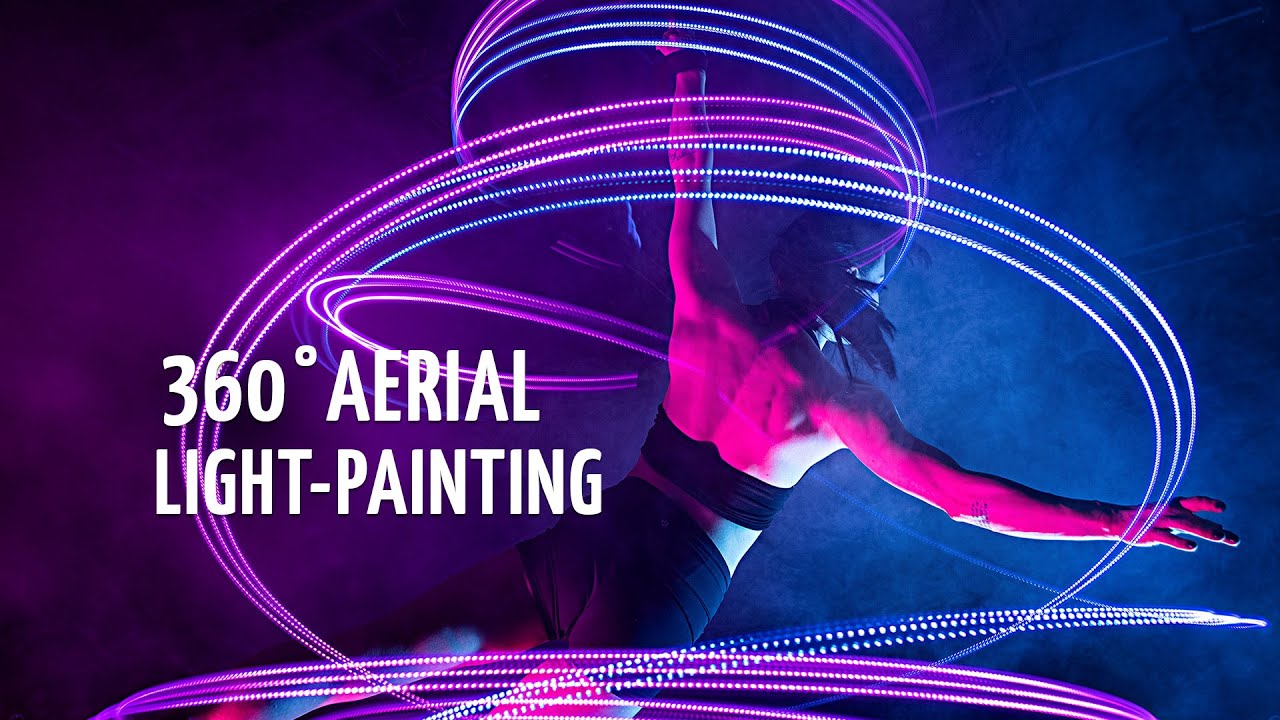
Light painting + aérien avec 176 caméras (Montréal, Xangle) :
Déclenchement croisé avec 176 caméras (Montréal, Xangle) :
Bullet-time avec Red Bull (Pologne, Time Busters) :
Bullet-time chez The Cube (Australie / Splice Boys) :
Grapefruit camp avec les Atlanta Braves (Orlando / Beam Imagination & Xangle) - projet complet ici.