Gaussian splat production with 48 cameras and an LED wall
November 3, 2026
1. Intro
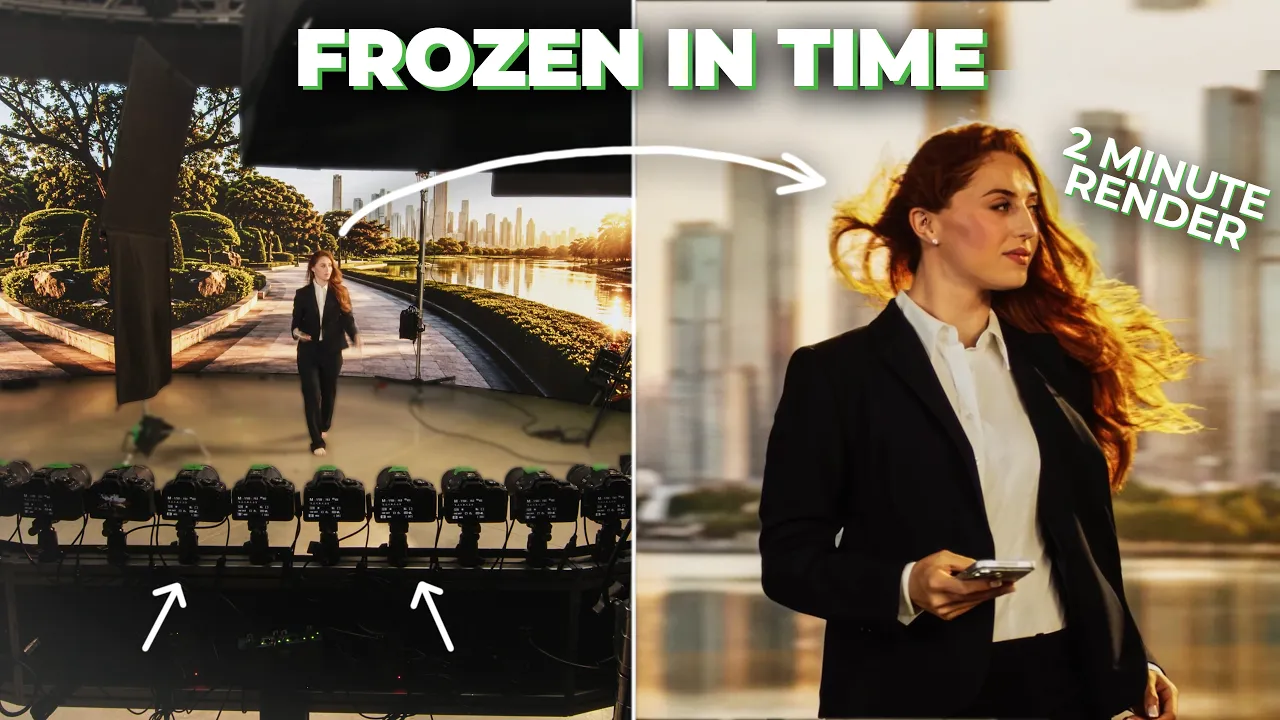
I wasn't on set that day, but I'd spent weeks helping plan the Studio LAB production, and I was eager to see the results. We were bringing together 48 cameras, an LED wall, and 3D Gaussian splatting. What interested me was how the LED wall and the splat would work together: we could capture the subjects with light from their intended environment, then replace the captured background with a clean 3D version of it.
There was also a practical problem I wanted to solve. After a take, checking a splat meant opening it in Postshot and navigating the 3D scene. I wanted the operator to get a useful preview in a few seconds, while the talent and cameras were still in place.
2. The practical innovations
2.1. Automated Gaussian splat generation
We brought the preview into Camera Server. One click triggered all 48 cameras, collected the JPGs, trained the Gaussian splat, and opened it in our internal Splat Player. The whole sequence took about two minutes.
That let the operator check the take and decide whether to shoot again without opening a separate 3D tool.
We still recorded RAW+JPG on every camera. The JPGs fed the quick preview, while the RAW files remained available for full-resolution retraining in Postshot later.
2.2. 3D playback that follows the physical camera arc
A Gaussian splat lets us view the subject from different angles, but those views have limits. Move too far outside the angles covered by the cameras, and the image can start to break apart.
Rather than navigating the 3D scene manually, the operator can use our built-in Splat Player to preview the take through a virtual camera that automatically moves along the arc of the 48 physical cameras. The preview loops back and forth, showing the subject from viewpoints close to those we'd actually captured.
The operator could watch that loop and judge the take without touching any 3D controls.
2.3. Combining the LED wall with a 3D Gaussian splat
The LED wall gave us the intended background during the shoot and cast light onto the subjects to match that environment.
But we didn't need to keep the wall itself in the finished image. The captured LEDs looked harsh, so the post-production team removed that background from the splat and replaced it with a clean 3D rendering of the same environment.
This was the combination I'd been eager to see: the subjects retained the lighting from the set, while the rendered environment supplied the final background.
3. Under the hood
Making this automation work takes three steps, and the operator never sees any of them. First, RealityScan registers the cameras and works out where each of the 48 cameras sits in the 3D space. Next, we pass those camera positions to Postshot, which runs through its command line interface to train the Gaussian splat. Finally, we export the splat as a PLY file, load it into XangleCS, and start the left-right playback right away. The whole sequence takes about two minutes.
Camera registration runs only once per setup. It establishes where the cameras are in the 3D environment, and it doesn't repeat until someone bumps one of the cameras.
*** November 2026 update: we added support for Spirula, an open source tool that trains Gaussian splats and can also register cameras. With Spirula, a production needs no extra software licenses or logins ***
4. The usual stuff
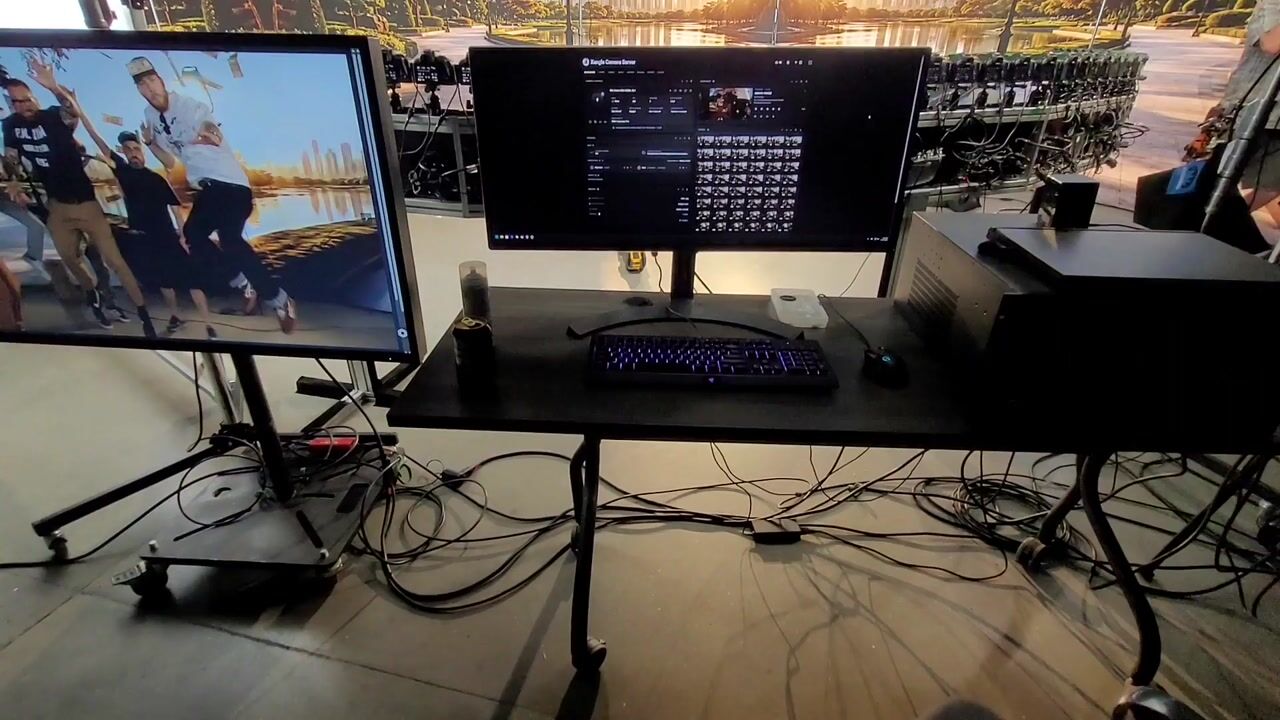
Underneath those additions, we still needed 48 cameras to behave as one system. Camera Server handled the jobs we rely on for a multi-camera shoot:
- Connection: connected the cameras without configuring each body by hand.
- Triggering: fired all 48 cameras together to capture the same instant.
- Settings: we changed settings in the Xangle Camera Server dashboard, and all 48 cameras updated instantly.
- File download: transferred files to the on-set computer without swapping memory cards between takes.
We kept those controls and the splat preview in one place, so the operator could go from capture to checking the result.
Dashboard of XangleCS - our multi-camera control software
5. Conclusion
What interested me about this production was the connection between the set and post-production. The LED wall provided lighting we could keep, even when its captured background was replaced. On set, the automated preview let the operator check a take without navigating 3D software.
If we built the rig again, I'd want at least two rows of cameras for more vertical coverage. This was a last-minute project built around the hardware we had on hand, and the single arc limited where we could take the viewpoint. That's the first thing I'd change next time.
Thank you to the Studio LAB team & Ian Messina for this amazing opportunity to bring these ideas into a production.
Video timestamps
- 00:00 Intro: bullet-time rig, "27 years ago, the Matrix pioneered the technique"
- 00:11 Problems on set: processing camera data, reviewing footage in real time with Xangle software
- 00:27 Crew from Xangle drove down from Canada to help
- 00:41 Christian sets up 48 cameras for about a 120-degree field of view
- 01:01 Test shows floaters in the render, so the plan is to superimpose the image in post
- 01:41 All cameras fire at the same moment to freeze the action
- 01:53 Plan: three scenarios, five actors, a few wardrobe changes
- 02:08 Shot captured with all 48 cameras, with actors pouring water
- 02:21 Cameras download to a server, with a preview in about two minutes
- 02:59 Dulling spray on the table, so the splats are denser
- 03:39 Conference table scene: leaf blower and papers, triggered on the blow
- 04:36 Christian explains the software: tethering, synced triggers, previews, and a full 3D Gaussian splat camera path
- 05:55 Closing banter about hair, leaf blowers, and three shots taking about 8 to 10 hours
Video transcript
3, 2, 1, 4. 27 years ago, The Matrix pioneered the technique we now call the bullet-time rig, which you can see behind me, using a ton of cameras to capture a moment in time. Now, this is a really cool visual, but it causes a lot of problems on set. One is processing all of the data coming from these cameras. But today, we have software from Xangle that allows us to review this footage in real time and get client feedback so we can use it for commercial productions. We got the team from Xangle who drove down from Canada to help us out.
We're doing a bullet-time rig. He's got the rig pre-built in the truck, and we're going to get it out in the studio and test it all today for the shoot tomorrow. You got it. All right, so Christian just set up these cameras. We have 48 cameras. If you come over here, it's pretty massive. Not 180°, but we got around a 120° field of view. Now that all the cameras are here, the next step is actually going to be calibrating these to a single point and setting focus, then we'll be off to the races.
Now that we've got the cameras set and we've done a test, we're noticing that there's these things called floaters in the render or the image because we have kind of a dark wall. I mean, I'd have to do a lot of cleanup, and it'll probably get better over time. So, what we're going to do is put the actual image that we're going to be superimposing in post so that we get a little bit of lighting, and the depth will actually understand where the video wall is behind us. I'm curious about the close-up, because there is a little bit of motion blur there. But in the background, the floaters are gone, so that's nice.
What is going to happen is all of these cameras are going to capture a photo at the exact same moment in time to freeze whatever action is happening on set. The camera is actually animated and floating around this image. For the next day, we're going to be running through three scenarios, five actors, and a couple of wardrobe changes, and then we're going to get right into post-production and complete this project. 3, 2, 1, 4.
Sweet. All right, so they just captured the shot, and all 48 cameras were triggered simultaneously. The actors were on set pouring a glass of water to freeze that moment in time. All of this data then goes over here to our servers. Right now, the cameras are all downloading to this unit, coming into the computer. We're not dumping SD cards a thousand times and wondering if we got the shot. All that's being taken care of in the software on the computer here. Within two minutes, we'll have a preview to look at. The client can take a look at it, and then we'll know what we captured and can move on to the next shoot.
We're just spraying some of this Krylon dulling spray. When we're dealing with reflections, obviously, splats do really well with it. But because we're getting so much bounce off of the wall, some of the colors start to mix, and we get basically a translucent splat. That's not a reflection; that's my shadow. Yeah, but look at the legs. You see them on the bottom there. The splats aren't dense enough, so it doesn't have enough points in reference images to make it solid for the table. Dulling it down gives us a little bit more information to work with, and then we'll put some props and other things on it to help hide that translucency.
All right, so check out this scene. We've got pretty much a whole conference room table set up. Greg's in the back with a leaf blower because we're trying to get a little bit of dynamic movement. Then Christian's over here going to capture the scene and trigger it right at the moment that Greg fires the leaf blower and blows the papers everywhere. It's a subtle movement, but we want to make sure there's something in the frame that locks us in a moment in time and doesn't feel like we're just taking a regular photo and freezing it. So, the shutter's open, and then it should fire in a second. Boom, all 48 cameras. If we move the laptop to that side of the table. You ready? And go ahead and shake. And 3, 2, 1, toss. I might have got it. It was like one little section, but that looks great. Yeah, it looks so nice.
We have Christian here from Xangle. He's the guy behind this as far as the software side, making sure it works here. Christian's going to bring you through a quick overview of why this software is so important and what we use it for. Basically, our software is meant to tether all the cameras to the computer. It's a way for us to make sure that everything is being triggered at the same time with the same settings. We also have a way in Xangle to script pretty much every possible preview for our clients. Every camera will send its picture, and we'll stitch it into a video so we can have a good idea of what's going on. Or we can then feed it back to a moco shot and script a camera travel. And this time, it's in full 3D Gaussian splat.
Without what Xangle has created here, the shoot would be very difficult, and we wouldn't be able to be as efficient on set today.