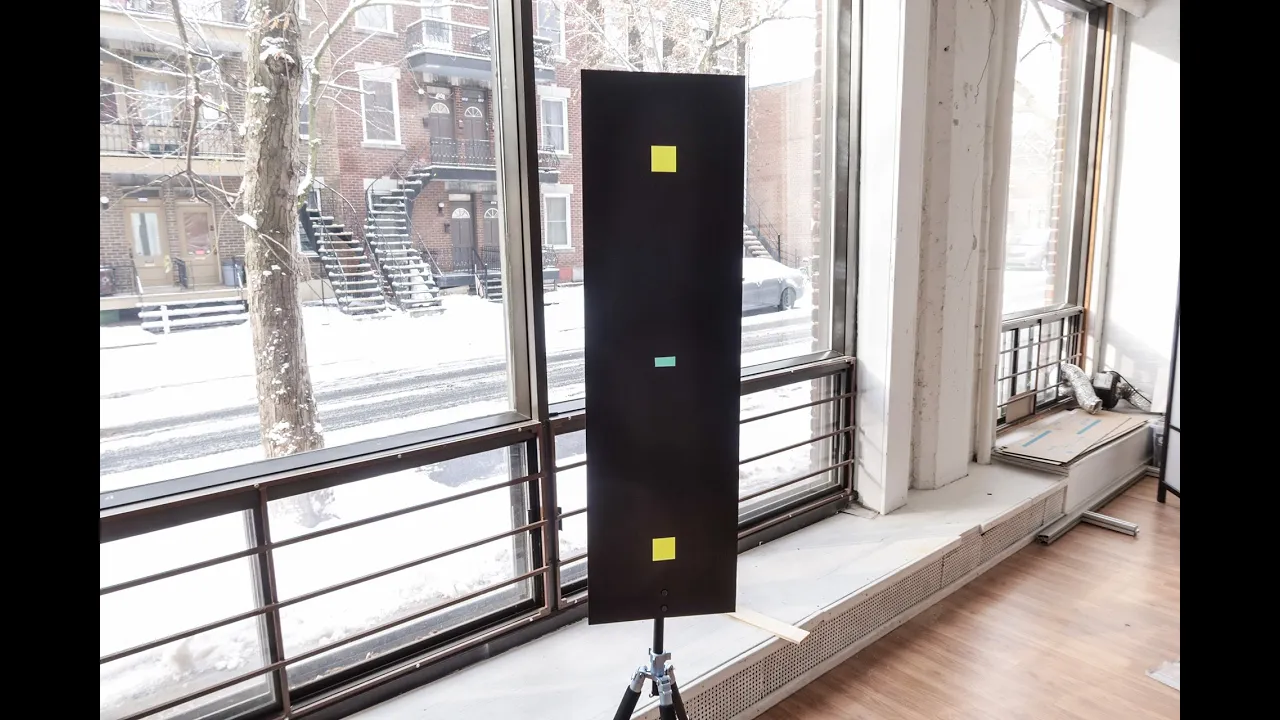
DIY Bullet-time calibration panel close-up
December 5, 2019
Update - October 21, 2026
This DIY panel documents the older marker-based calibration method. Current Camera Server does not require a calibration bar: aim the cameras, capture a suitable textured reference shot, and create a reusable calibration recipe from the dataset. Keep that source dataset while the recipe is in use. The old doc.xanglecs.com calibration link below is obsolete; follow the current calibration overview and recipe instructions.
This is what I'm using these days to calibrate my 12-cameras kit. It's super easy to make and to setup. You only need black cardboard, yellow tape and blue tape to make this work
- Make sure that you have enough black space around your black markers
- Use a very different color for your center marker (blue in my case!)
- The Arca swiss plate at the bottom is a large one with 2x 3/8” screws in it (see https://amzn.to/2rXomCl)
- Ideally, you want your markers to be as close as possible to the edges of your framing (for super accurate calibration), especially if you are shooting at large resolution for films or commercials. For live events, it doesn’t matter that much, and you can use a smaller panel, or our beautiful calibration t-shirt ;)
Dimensions of this panel / markers
- Panel: 1x3’
- Markers: 2x2”
Full tutorial about the digital calibration can be found here: https://doc.xanglecs.com/calibration